Registration
Create your Glambook salon owner account to get started.
Register on Glambook
admin.glambook.lk/register
Steps
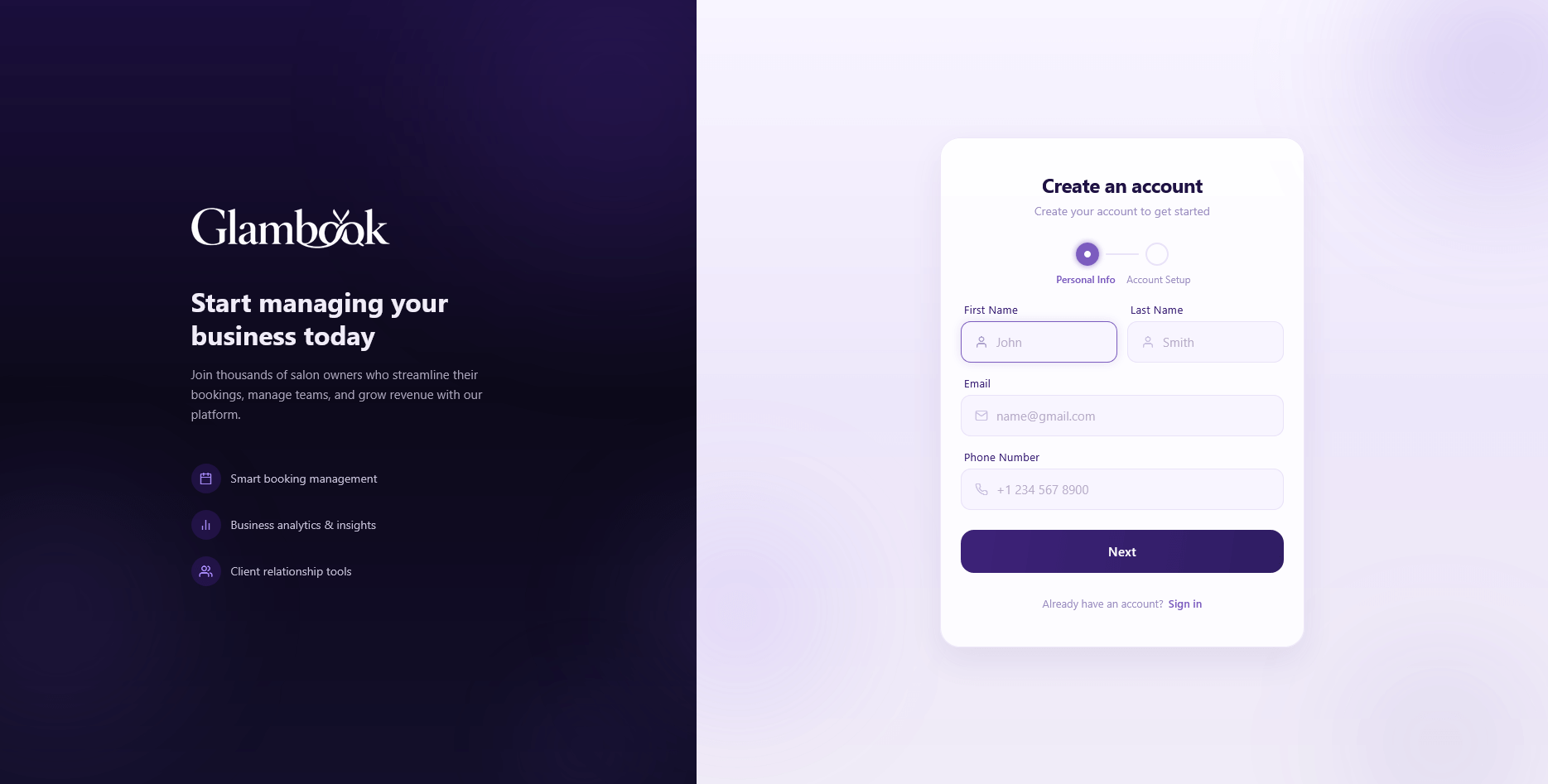
Registration has two steps: Personal Info and Account Setup.
Step 1 — Personal Info
- Open the link above or go to admin.glambook.lk and click Register
- Fill in your personal details:
- First Name and Last Name
- Email — this will be used for verification
- Phone Number
- Click Next to proceed
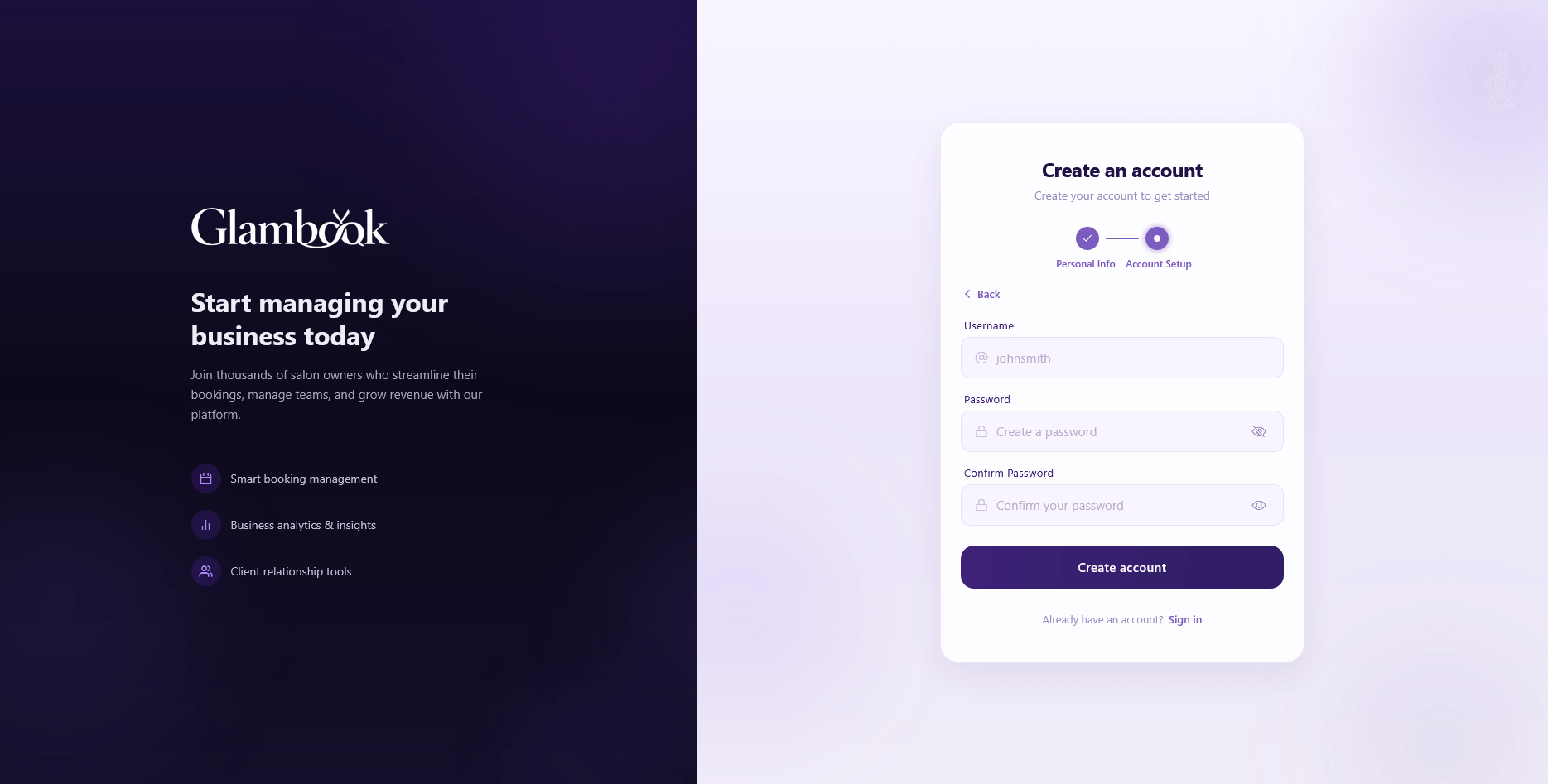
Step 2 — Account Setup
- Fill in your account credentials:
- Username — alphanumeric characters and underscores only
- Password — must include at least one uppercase letter, one lowercase letter, one number, and one special character
- Confirm Password
- Click Register
- You'll be redirected to the Email Verification screen
Email Verification
- Check your email inbox for a verification code from Glambook
- Enter the verification code on the verification screen
- Click Verify
- Once verified, you'll be redirected to the login screen
tip
If you don't receive the verification email, check your spam folder. You can also request a new code from the verification screen.
Field Reference
| Field | Step | Requirements |
|---|---|---|
| First Name | Personal Info | Required |
| Last Name | Personal Info | Required |
| Personal Info | Valid email format, required | |
| Phone Number | Personal Info | Required |
| Username | Account Setup | Alphanumeric and underscores only, required |
| Password | Account Setup | Min 8 characters, 1 uppercase, 1 lowercase, 1 number, 1 special character |
| Confirm Password | Account Setup | Must match password |
What's Next?
Once your email is verified, log in to your account and start setting up your salon.