Managing Services
Edit, delete, and organize the services your salon offers.
Viewing Your Services
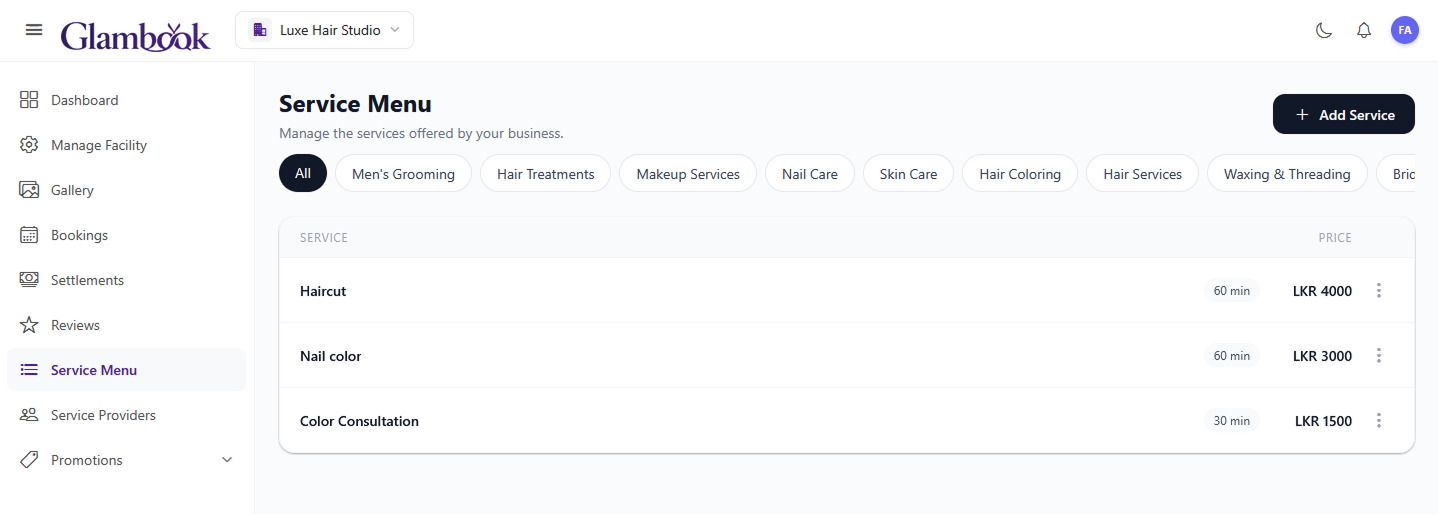
- Go to the Service Menu tab
- All your services are listed with their name, category, duration, and price
- Use the category filter chips at the top to filter by category (e.g., show only Hair services)
Editing a Service
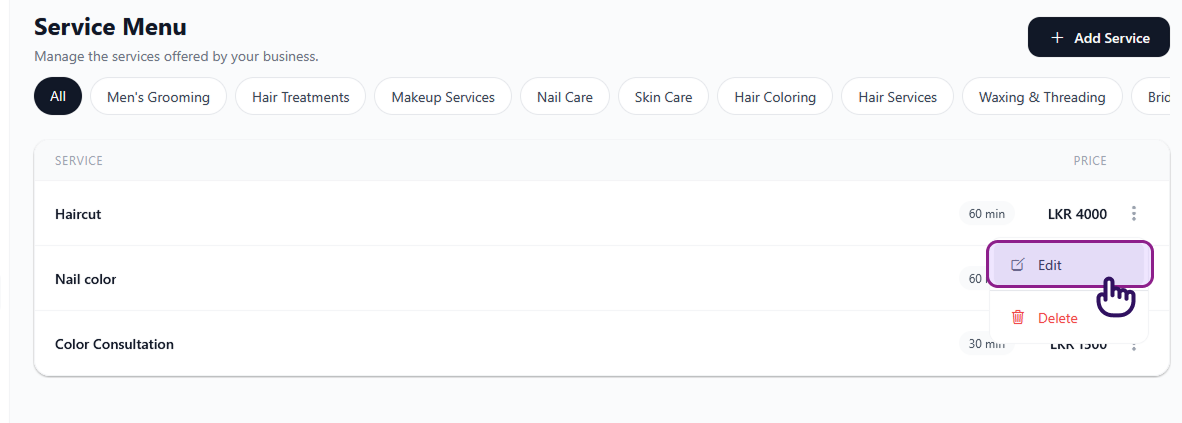
- Find the service you want to edit in the list
- Tap the Edit action on the service card
- Update the fields you want to change (name, category, duration, price)
- Tap Save
Deleting a Service
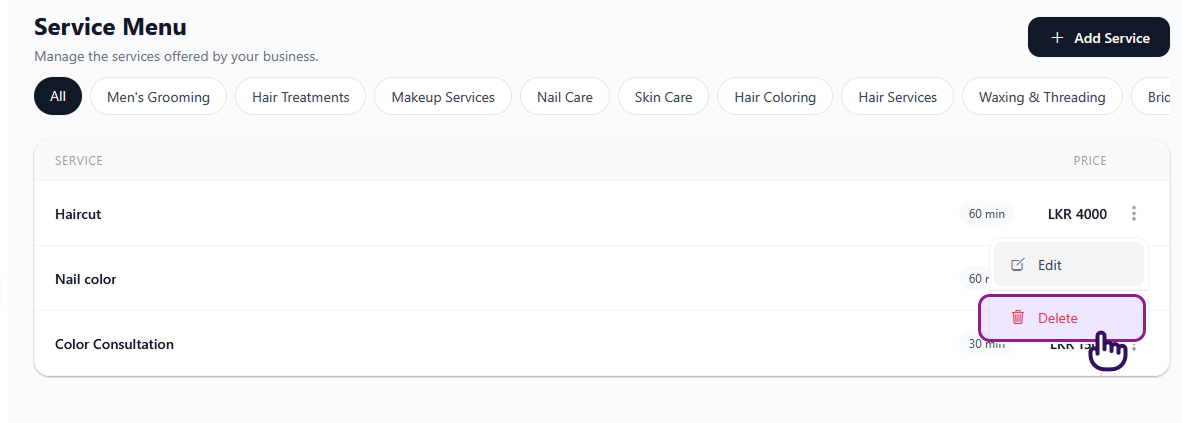
- Find the service you want to delete
- Tap the Delete action on the service card
- A confirmation dialog will appear — confirm to delete
warning
Deleting a service removes it permanently. Any existing bookings for this service are not affected, but clients won't be able to book it going forward.
Tips
- Keep service names clear — clients see these names when browsing your salon (e.g., "Men's Haircut" is better than "Haircut 1")
- Set accurate durations — this directly affects your booking calendar and provider availability
- Review pricing regularly — you can update prices at any time without affecting existing bookings